

WINDOWS DOWNLOAD
Download DeepSeek Harness Desktop
Download the Windows x64 installer and review its system requirements, file size, and SHA-256 before installation. The current preview has no Authenticode signature.
- Version
- v0.1.0-preview.13
- Size
- 87.464 MiB
- SHA-256
6050178f9e4d73b1096301cf0b1d211277f295de965207dc3ed71ea641de2175- System
- Windows 10 22H2 / Windows 11 x64 with system WebView2
- Bundled
- Node.js 22.22.3 · DSH 0.1.1-rc.2 · Market 1.17.1 · pnpm 10.34.5
Before Installation
The preview supports Windows 10 22H2 and Windows 11 on x64 and uses the system WebView2 runtime. Node.js, DSH, Market, and pnpm are bundled, so none require a separate installation.
- Download only from this page or the fixed GitHub Release.
- Verify the SHA-256 before running the installer.
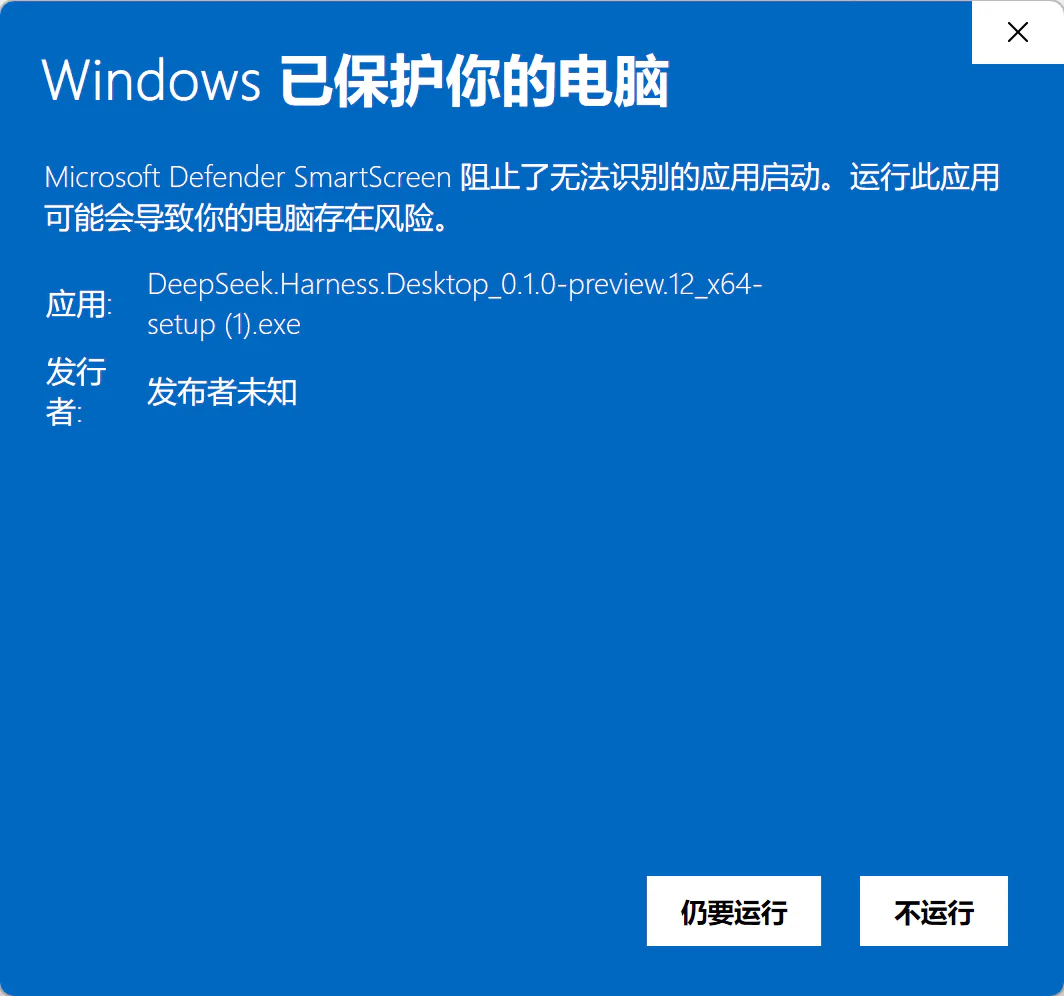
- There is no Authenticode signature yet, so SmartScreen may show an unknown publisher.
When SmartScreen Appears
If Windows reports an unknown publisher, first confirm the file name, download source, and SHA-256. When they match, open More info to see the option to continue; there is no need to disable Windows protection.
Updating from preview.12
preview.13 keeps your existing conversations, profiles, plugin state, and Skills. Its bundled DSH updates the conversation storage format, so back up %USERPROFILE%\.dsh before upgrading if you may need to downgrade. Reinstalling an older app version does not restore data already written by the newer version.